Chocolate production software features
One connected system for recipes, runs, lots, quality, and production learning.
CocoaCraft helps makers move from scattered recipe notes and batch records into a connected chocolate production workflow that can grow with the business.
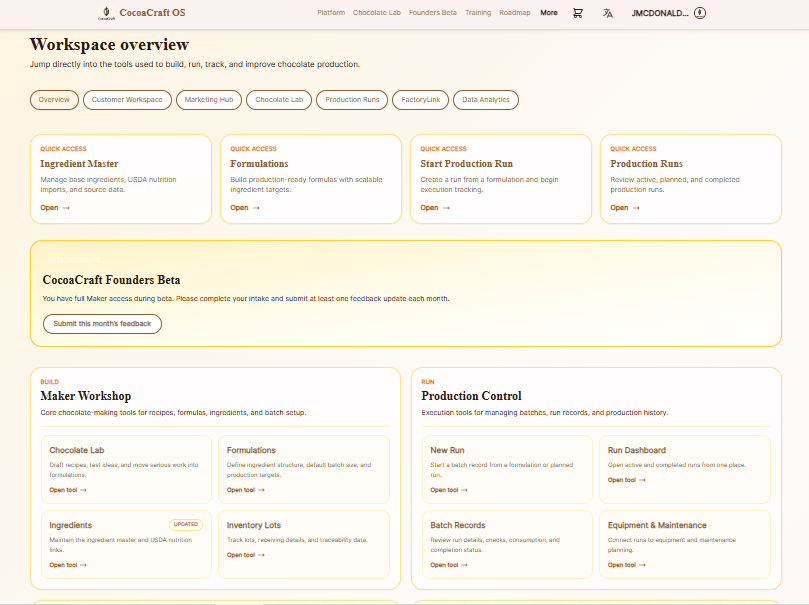
Core feature areas
Built around the way chocolate production actually grows.
Start with formulation and recipe history, then add lot tracking, production runs, quality checks, batch costing, and operational intelligence as the workflow matures.
01
Recipe & Formulation Management
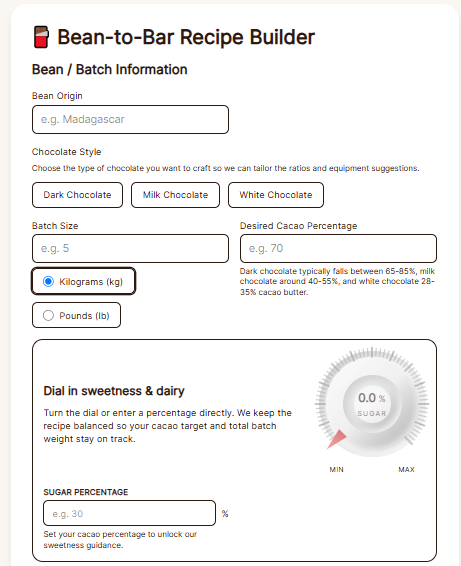
Build recipe ideas, compare formulation versions, scale batches, and preserve the process notes behind better chocolate.
- Recipe version history
- Percentage and weight-based formulation work
- Batch size scaling
- Development notes and tasting feedback
02
Ingredient Lots & Traceability
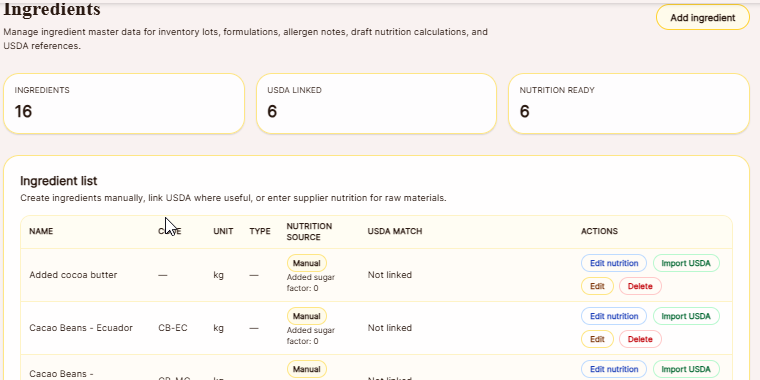
Connect ingredient lots, supplier details, and usage history to the batches where those materials were used.
- Ingredient lot records
- Supplier context
- Batch-to-lot usage history
- Foundation for traceability reporting
03
Production Run Records
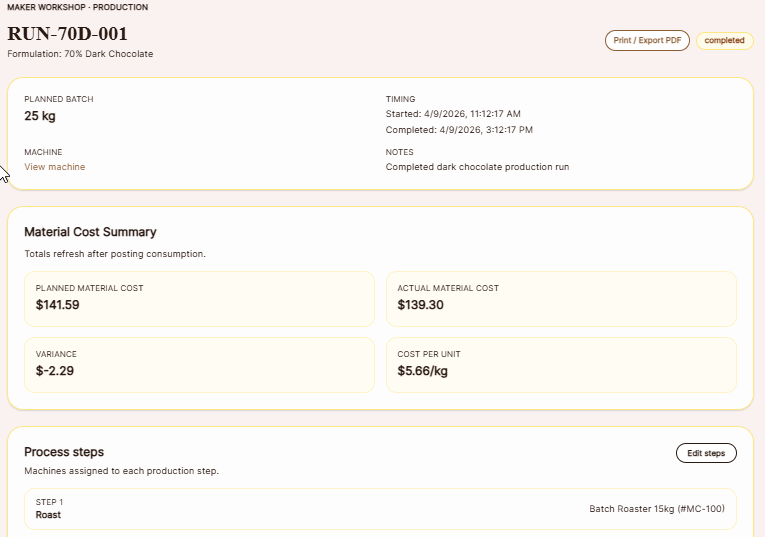
Move approved formulations into structured production runs with run notes, ingredients, lot usage, and production context in one place.
- Create runs from formulations
- Run notes and observations
- Operator handoff context
- Batch comparison over time
04
Quality Checks & Process Controls
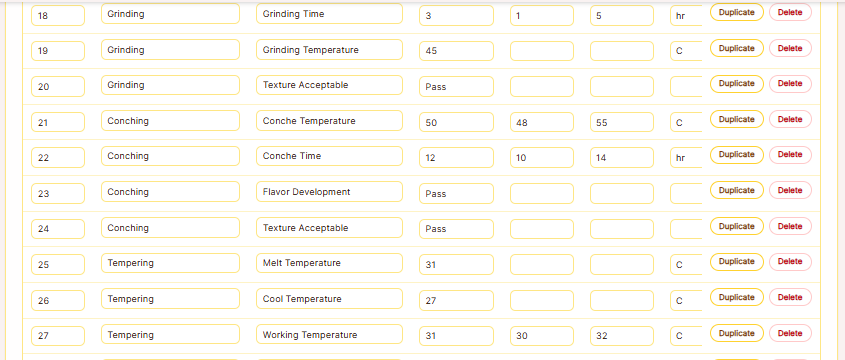
Tie process checks, inspections, observations, and tasting feedback directly to the run record instead of separating quality from production.
- Process checkpoints
- Pass/fail checks
- Tasting and quality notes
- Issue visibility across batches
05
Equipment History & FactoryLink
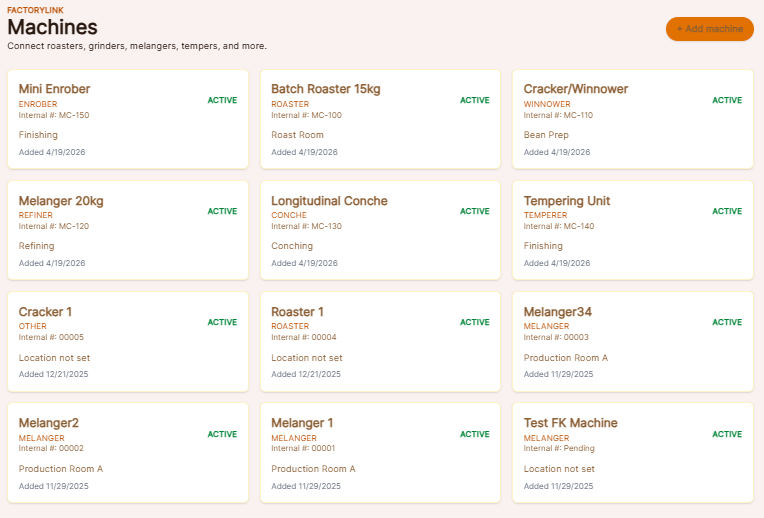
Start connecting equipment condition, maintenance notes, calibration context, and future machine data to production results.
- Equipment records
- Maintenance context
- Calibration awareness
- Future sensor and runtime visibility
06
Production Intelligence
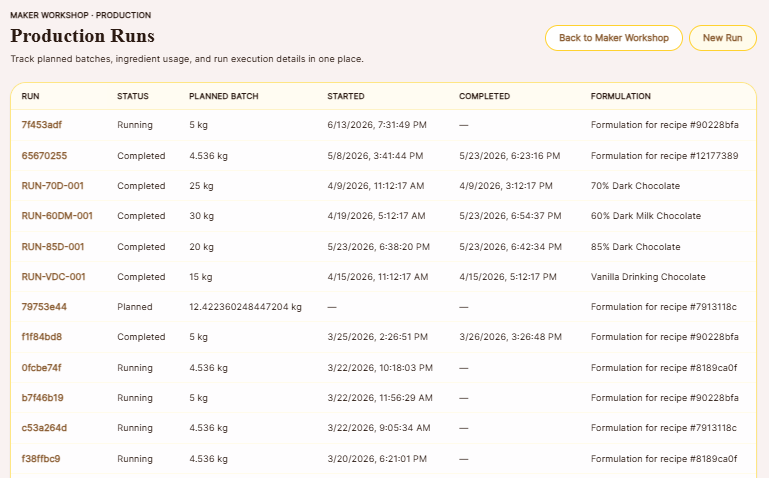
Use connected batch history to ask better questions: what changed, what worked, what failed, and what should happen next.
- Connected production history
- Batch learning loop
- Troubleshooting foundation
- Future analytics and decision support
07
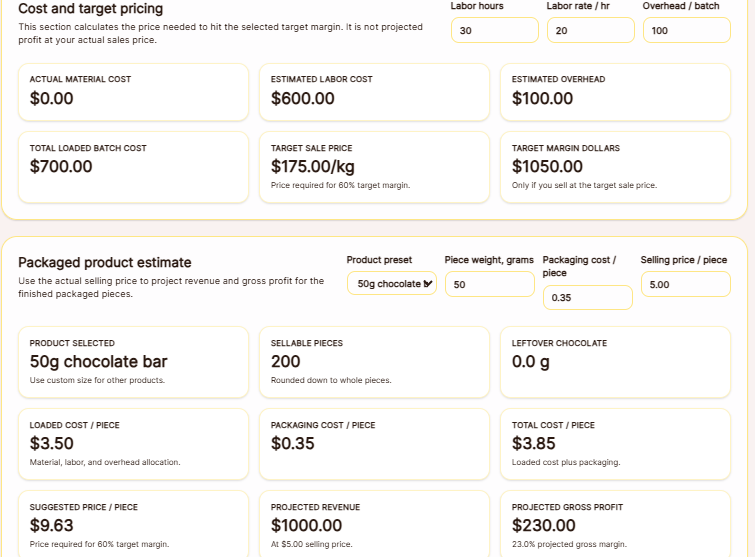
Batch Cost & Pricing Calculator
Turn a completed production run into practical costing, packaged product pricing, and margin insight for chocolate bars and other sellable pieces.
- Loaded batch cost with labor and overhead
- Target price by margin goal
- Packaged product cost per piece
- Projected revenue and gross profit
Simple adoption path
Use the level of structure your operation needs.
01
Start with what you already track
Bring recipes, notes, ingredients, and batch details into a more structured workflow without overcomplicating the early stages.
02
Connect the run record
As production grows, connect formulations, lots, checks, handoffs, and run notes so the batch story stays together.
03
Use the history to improve
Turn production records into practical learning for the next batch, the next formula, and the next process decision.
See it in action
Start with Chocolate Lab Free or try a paid workflow for 30 days.
Use CocoaCraft at the level that matches your operation today, then move into more structured production control as your needs grow.